Lagario 3: Órbita · Guide
How to play Lagario 3
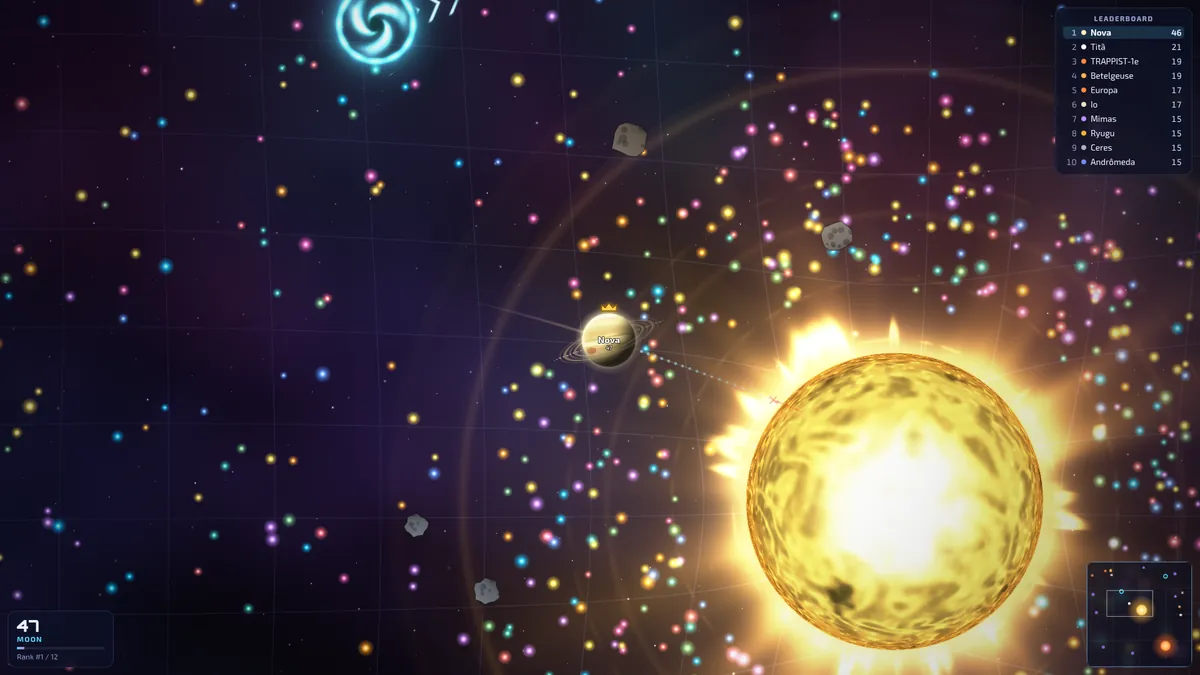
Lagario 3 is an agar.io-style game with real gravity: a free multiplayer planet io game in your browser. You start as a tiny planet, eat stardust to grow and devour anything small enough to swallow, while stars, black holes and bigger planets pull you around. No download, no account.
Controls: mouse, keyboard and touch
Computer
- Mouse
- Steer. Your planet heads towards the cursor.
- Space
- Split your planet in two and launch half forward. Great for hunting.
- W or E
- Eject a bit of mass. Hold the key to keep ejecting.
- 1–8
- Send an emote (or use the smiley button).
- Enter
- Chat.
- Esc
- Menu (it pauses the game only in offline practice).
- M
- Mute.
- Mouse wheel
- Zoom.
Phone and tablet
- Drag on the left side of the screen to steer: a joystick appears under your finger.
- SPLIT and EJECT are the round buttons on the right. Keep EJECT pressed to keep ejecting.
- The smiley button opens the emotes. The menu button (top left) opens the menu with the invite. It pauses the game only in offline practice.
- Touch controls turn on by themselves on touch screens. You can set them to Always or Never in Settings → Touch controls.
Grow your planet
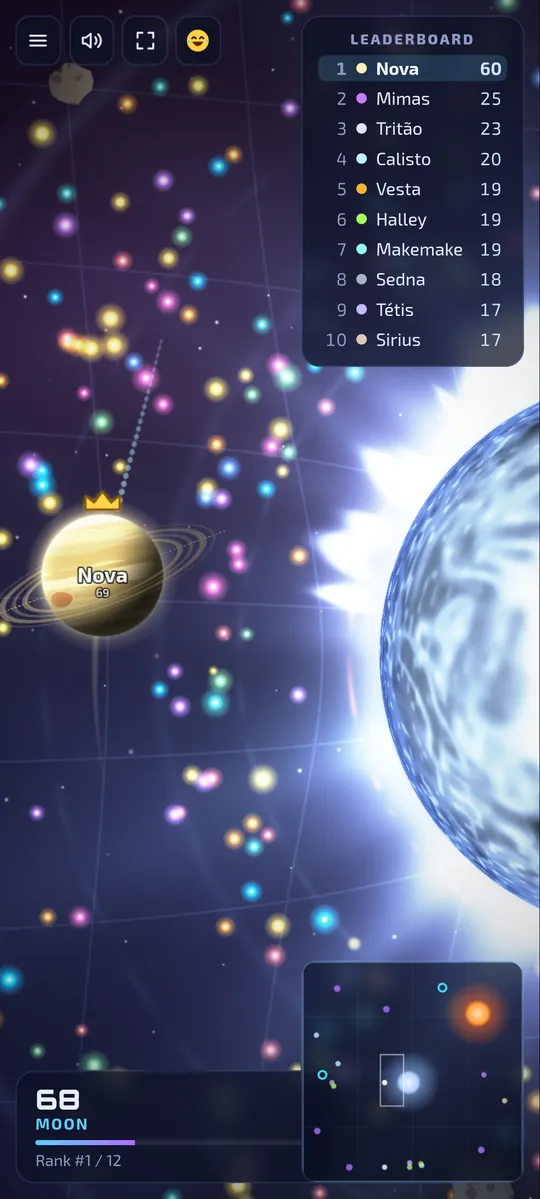
- Collect stardust and asteroids to gain mass. The glowing specks are stardust.
- Swallow planets you outweigh by at least 25%. Anything that much heavier than you can swallow you, so keep an eye on who's bigger.
- You grow through stages, from asteroid and moon up to dwarf planet, planet, gas giant, brown dwarf, star, supergiant and finally imminent collapse. The HUD shows your mass, stage and rank.
- Splitting launches half of your mass at prey. Each half is smaller, and so easier to eat, until the pieces merge back after a while.
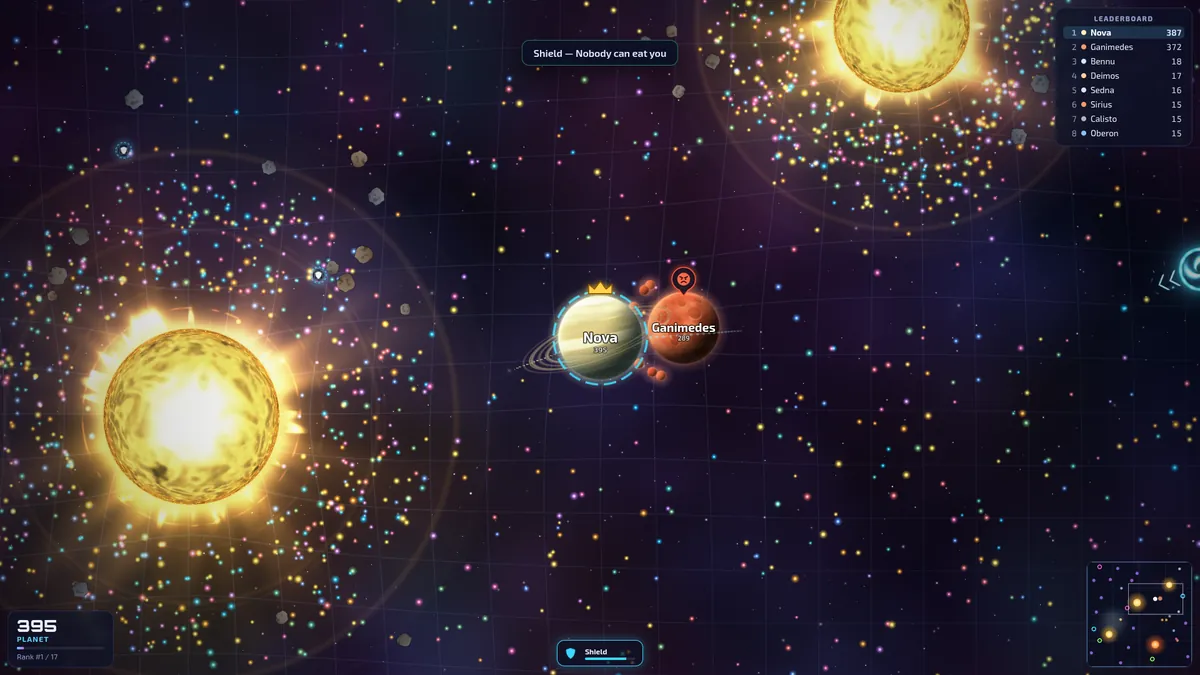
- A fresh spawn is shielded for 3 seconds, so nobody can eat you the moment you appear.
- If you're devoured you can respawn, watch a slow-motion replay of the moment (killcam), or spectate.
Gravity and orbits: the trajectory line
In Orbit, the default mode and what Play looks for, physics is real. Your planet carries momentum: its direction responds slowly and its speed carries on. Stars, black holes and big planets pull everything around them, and the pull falls off with the square of the distance.
- The dotted line in front of your planet is its predicted path. It turns red when that path runs into a star. You can hide it in Settings → Show trajectory (Orbit).
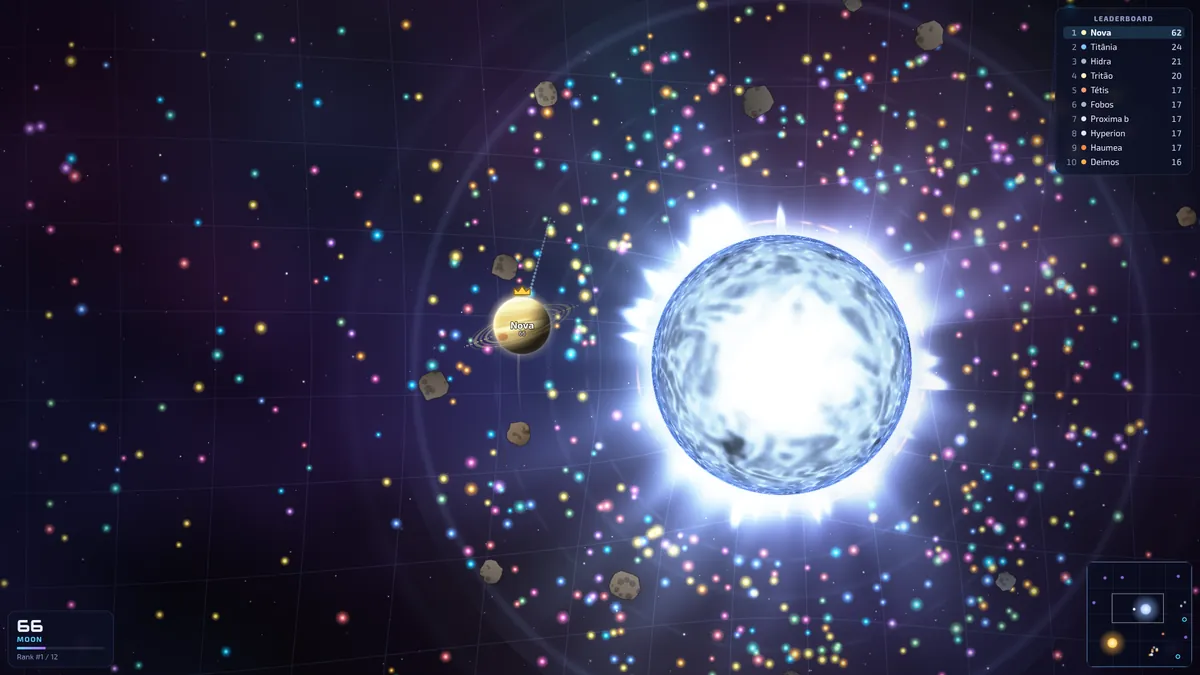
- The background grid bends around big masses, and faint rings mark the gravity well of each star.
- Orbit a star: go all the way around a star (or a giant planet) to complete an orbit. A third of the stardust gathers in rings around the stars, and asteroids circle them in belts.
- Grow big enough and you pull too: smaller planets get dragged towards you.
- Big planets turn slowly. Plan your moves earlier as you grow.
Want the actual rules and numbers? Read how gravity works in Lagario 3.
Slingshot around a star (up to about 3× top speed)
Each Orbit arena has 1 to 3 fixed stars (1 on a small map, 2 on a medium one, 3 on a large one), yellow, orange or blue. They're the biggest hazard and the best tool you have.
Dive close without touching, and gravity speeds you up, to up to about 3× your top speed. Keep steering along your motion and you keep most of that speed for a while. The game tells you how fast you came out (“Slingshot! 193% of top speed”). It's a multiplayer gravity slingshot: use it to run down prey, escape a bigger planet or cross the map.
Stars burn
- Don't touch a star. It burns whatever touches it. The star rumbles louder as you get near, and once you're burning a “Too close to the star!” warning appears.
- Escaping: at any size you can climb away from a star by pointing away from it. Ejecting mass gives you an extra push (see below).
- Stars also swallow ejected mass, asteroids, comets and black holes that fall into them.
Collisions: same-size planets knock off chunks
In Orbit (or with the Orbit physics modifier), planets too close in size to eat each other (less than 25% apart) don't overlap: they collide and bounce. A hard hit knocks off up to 25% of a planet's mass as chunks anyone can devour, including you. How hard a hit is depends on how big a jolt each side takes compared with its own top speed, so ramming at speed pays. A Shield protects you, and teammates pass through each other. In the other modes, planets that can't eat each other simply overlap.
Eject mass to thrust
W (or EJECT) throws out a small blob of your mass. Use it to feed a teammate or to feed a black hole. With Orbit physics, throwing mass one way pushes your planet the other way, like a rocket: handy for escaping a star or correcting your course.
Black holes, comets, wormholes and power-ups
- Black holes shred planets bigger than them. Swallow one and you're torn into pieces. Small planets can hide inside them. Feed a black hole 7 ejections and it fires off a new black hole in the direction of the shot.
- Comets cross the map leaving a trail of stardust, and curve around stars. Devour one (if you're big enough) for a random power-up.
- Wormholes come in same-coloured pairs: enter one and come out of the other, across the map. They open and close over time.
Power-ups
Power-ups float around the map: touch one to grab it. A devoured comet also gives you a random one.
Thruster
More speed, for 8 seconds.
Shield
Nobody can eat you, for 7 seconds.
Gravity magnet
Pulls stardust from afar, for 12 seconds.
Game modes
Orbit Default
Real gravity: stars that burn, orbits, slingshots and collisions that knock chunks off.
Free for all
The classic: eat or be eaten.
Collapse
Battle royale: the universe shrinks. No respawns. The last planet standing wins.
Teams
Mars × Neptune × Earth. Allies can't eat each other.
Gravity chaos
Strong gravity, more black holes and power-ups.
Collapse is a space battle royale in continuous rounds: a countdown, a fight with no respawns, then a podium and the next round. The safe zone moves and shrinks in 5 stages, with a dashed preview of the next circle. Outside it, your planet burns.
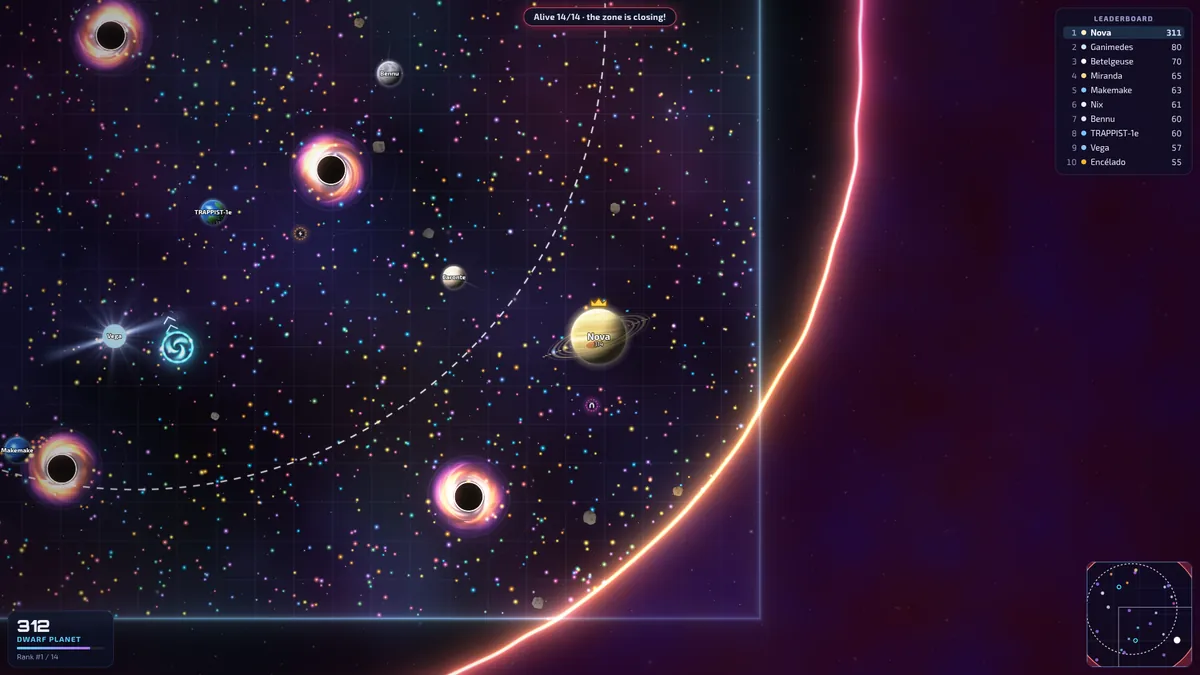
Every mode, modifier and power-up in detail: Lagario 3 game modes.
Room modifiers
When you create a room, you can stack any of these 8 modifiers on top of the mode:
- Orbit physics Orbit's momentum, gravity, stars and collisions in any other mode.
- Double gravity Everything pulls harder.
- Turbo Every planet moves faster.
- Giant start Everyone spawns big.
- Comet shower Many more comets.
- More wormholes Three times the wormholes.
- No black holes None at all.
- Golden dust Each speck of stardust is worth double.
Play with friends: invite links
- In the main menu, choose Create room. Pick the mode, modifiers, public or private, map size (small, medium or large), up to 16 players and the Population with bots: bots top the room up to that many planets (0 to 30, 14 by default).
- Open the menu in game (Esc, or the menu button on phones) and press Invite. That copies the room link. Send it to your friends.
- They open the link, and the big button on the menu takes them into your room. They can also type the 5-character room code under Join with code.
Play joins a public room or opens one, and Public rooms lists the open ones with their mode and players. Practice offline is just you against bots. Multiplayer is peer-to-peer: whoever creates the room hosts the match in their own browser, and if they leave, another player takes over automatically.
Tips for your first game
- Take the tutorial. It's one minute long, in the main menu, and walks you through moving, eating, splitting, ejecting and your first slingshot.
- Watch the dotted line. If it turns red, you're falling into a star: steer out, or eject mass to thrust away.
- Use stars for speed. A slingshot can fling you out at up to about 3× your top speed, to chase prey or to get out of trouble.
- Sweep the dust rings. About a third of the stardust sits in rings around the stars. Orbit through them to grow while you're small.
- Can't eat a rival your size? In Orbit (or with the Orbit physics modifier), ram it hard, then eat the chunks.
- Small and hunted? Hide inside a black hole. A big planet that swallows it gets shredded.
- Split carefully. A split lunge catches prey, but your halves are easier to eat until they merge back.
- Check your profile. Daily missions, achievements and levels unlock new planets to play as.
Unlocking things? See all 29 planets and all achievements, missions and levels.
FAQ
How do I play with friends?
Create a room, then open the in-game menu (Esc, or the menu button on phones) and press Invite. That copies a link to your room. Friends who open it join you, or they can type the 5-character room code under Join with code.
How does the slingshot work?
Dive close to a star without touching it. Its gravity speeds you up, to up to about 3× your top speed, and as long as you keep steering along your motion you keep most of that speed for a while.
Why can't I eat a planet my size?
You can only swallow planets you outweigh by at least 25%. In Orbit (or with the Orbit physics modifier), planets closer in size than that collide and bounce instead, and a hard hit knocks off chunks that anyone can eat. In the other modes they simply overlap.
What happens if I touch a star?
You burn: your planet loses mass for as long as it touches the star, and a small planet burns up completely. Point away from the star, or eject mass to thrust away.
How do I eject mass?
Press W (or E) on a keyboard, or the EJECT button on a touch screen. Hold it to keep ejecting. With Orbit physics, ejecting pushes your planet the other way like a rocket.
What is Collapse?
Collapse is Lagario's battle royale mode. The safe zone moves and shrinks in 5 stages, planets outside it burn, nobody respawns during a round, and the last planet standing wins.
What do black holes, comets and wormholes do?
Black holes shred planets bigger than them, and small planets can hide inside them. Comets cross the map dropping stardust and give a random power-up to whoever devours one. Wormholes come in pairs and throw you across the map.
Can I turn off the trajectory line?
Yes. Untick Show trajectory (Orbit) in Settings.
Can I play on my phone?
Yes. On a touch screen you drag on the left side of the screen to steer, and use the SPLIT and EJECT buttons on the right.
Ready? It's free, in your browser, with no download and no account.
Play now